Every command, a few keys away
The command palette (Ctrl+Shift+P) finds every command, panel and model of the project with a fuzzy search, shortcuts included.
graphedit is a fast, native editor for state machines, Petri nets, automata and any graph language you define. Plugins bring the syntax, language servers check your models as you draw, the debugger steps through them, and AI agents edit right alongside you.
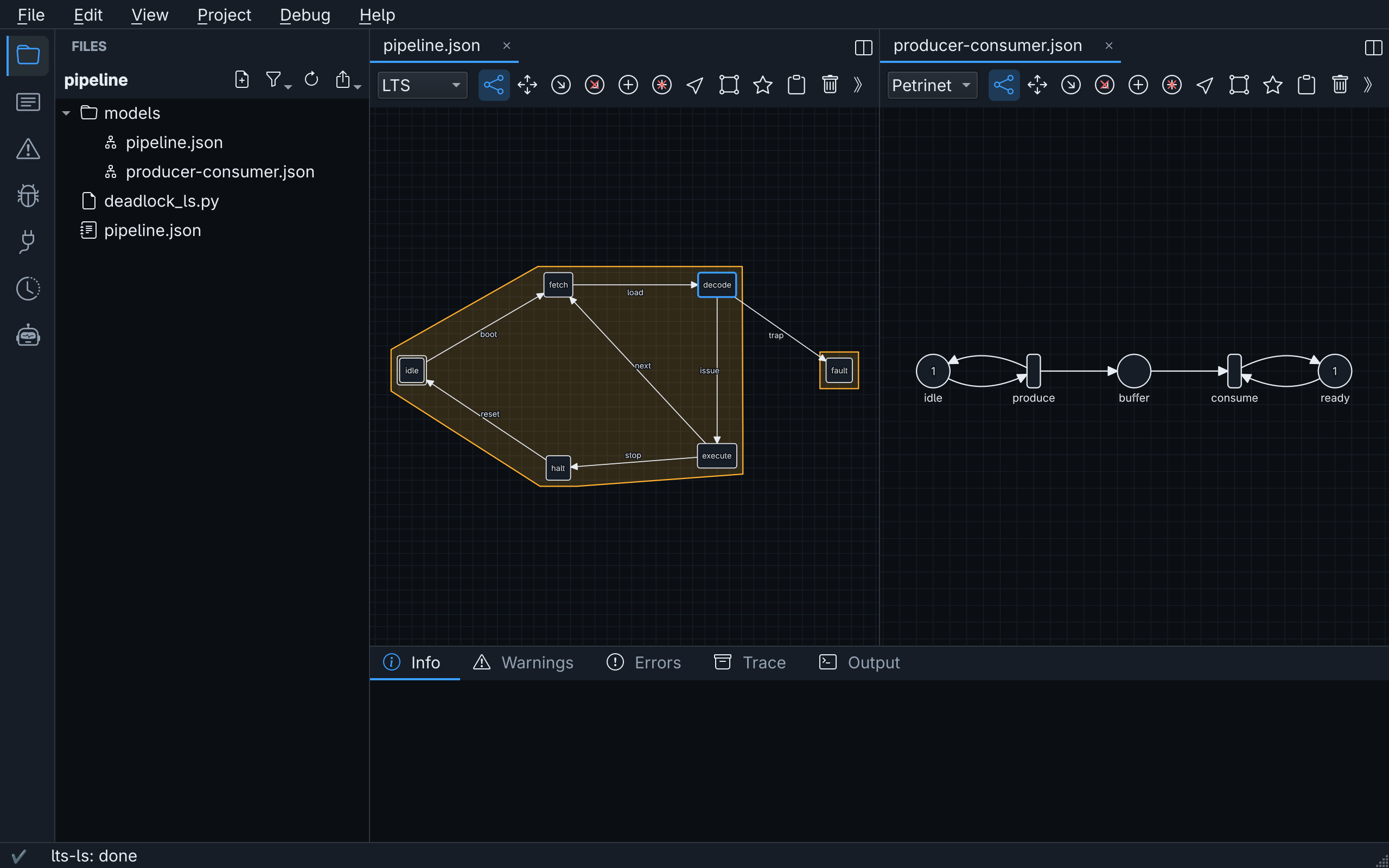
The editor
Everything boils down to vertices and edges. graphedit makes drawing, checking and reorganizing them feel as quick as editing text.
The command palette (Ctrl+Shift+P) finds every command, panel and model of the project with a fuzzy search, shortcuts included.
Undo, then edit again: the undone changes stay on a branch that you can always go back to.
Create, connect, move, box select, copy and paste, with grid snapping and smooth zooming, even on large networks.
Language servers analyze models while you edit and highlight what is wrong right on the canvas.
Labelled transition systems, Petri nets and simple graphs out of the box. Plugins add syntaxes with their own types, rules and looks.
Tabs in groups next to and below each other, two views of one model, and tabs dragged out into windows of their own.
Import from and export to TAPAAL, open graphedit 1.x projects, and exchange H-UPPAAL projects with the NTTA plugin.
Extend
graphedit knows what all graphs have in common. Everything specific to a language comes from plugins and language servers, the same way your code editor learns a new programming language.
Element types, their properties and the rules for connecting them.
Any program, in any language, that speaks JSON-RPC: diagnostics and debugging.
How elements are drawn, and side panels of your own, in a graphical plugin.
Bring models in from other tools and send them back out.
#!/usr/bin/env python3
# A language server: warns about states that cannot be left.
import json, sys

def read():
    headers = {}
    while line := sys.stdin.buffer.readline().strip():
        name, _, value = line.partition(b":")
        headers[name.strip().lower()] = value.strip()
    length = int(headers.get(b"content-length", 0))
    return json.loads(sys.stdin.buffer.read(length)) if length else None

def send(message):
    body = json.dumps({"jsonrpc": "2.0", **message}).encode()
    sys.stdout.buffer.write(b"Content-Length: %d\r\n\r\n" % len(body))
    sys.stdout.buffer.write(body)
    sys.stdout.buffer.flush()

def diagnose(buffer):
    graph = buffer["graph"]
    sources = {edge["source"] for edge in graph["edges"].values()}
    return [{"lintIdentifier": "DL-001", "severity": "warning",
             "title": "Deadlock",
             "message": "There is no way out of this state",
             "affectedElements": [vertex]}
            for vertex in graph["vertices"] if vertex not in sources]

while message := read():
    method, params = message.get("method"), message.get("params")
    if method == "initialize":
        send({"id": message["id"], "result": {
            "serverInfo": {"name": "deadlock-ls", "version": "1.0"},
            "language": "LTS",
            "capabilities": {"sync": "full", "diagnostics": True}}})
    elif method in ("graph/didOpen", "graph/didChange"):
        buffer = params["buffer"]
        send({"method": "graph/publishDiagnostics", "params": {
            "key": buffer["key"], "diagnostics": diagnose(buffer)}})
    elif method == "shutdown":
        send({"id": message["id"], "result": None})
    elif method == "exit":
break// A plugin with a syntax: flowcharts of steps and decisions.
class flowchart_plugin : public QObject, public graphedit::plugin {
Q_OBJECT
Q_PLUGIN_METADATA(IID GRAPHEDIT_PLUGIN_IID FILE "flowchart_plugin.json")
Q_INTERFACES(graphedit::plugin)
public:
auto name() const -> QString override {
return QStringLiteral("Flowchart");
}
auto syntax_factories()
-> std::vector<std::shared_ptr<graphedit::syntax_factory>> override {
return {std::make_shared<flowchart_syntax>()};
}
};
// The element types of the syntax, with their properties.
auto flowchart_syntax::vertex_types() const
-> std::vector<graphedit::element_type_t> {
return {{.name = QStringLiteral("decision"),
.display_name = QStringLiteral("Decision"),
.description = QStringLiteral("A question with two outcomes"),
.icon = QStringLiteral("diamond"),
.properties = {label_property(QStringLiteral("Decision"))}}};
}cmake_minimum_required(VERSION 3.21)
project(flowchart LANGUAGES CXX)
set(CMAKE_CXX_STANDARD 20)
find_package(Qt6 6.5 REQUIRED COMPONENTS Core)
find_package(graphedit 2 REQUIRED)
qt_standard_project_setup()
qt_add_plugin(flowchart SHARED
flowchart.cpp flowchart.h flowchart_plugin.cpp)
target_link_libraries(flowchart PRIVATE graphedit::core)
install(TARGETS flowchart
LIBRARY DESTINATION "${GRAPHEDIT_PLUGIN_DIR}/flowchart")Share plugins through a plugin database: the plugins panel installs and updates them in a click.
Debug
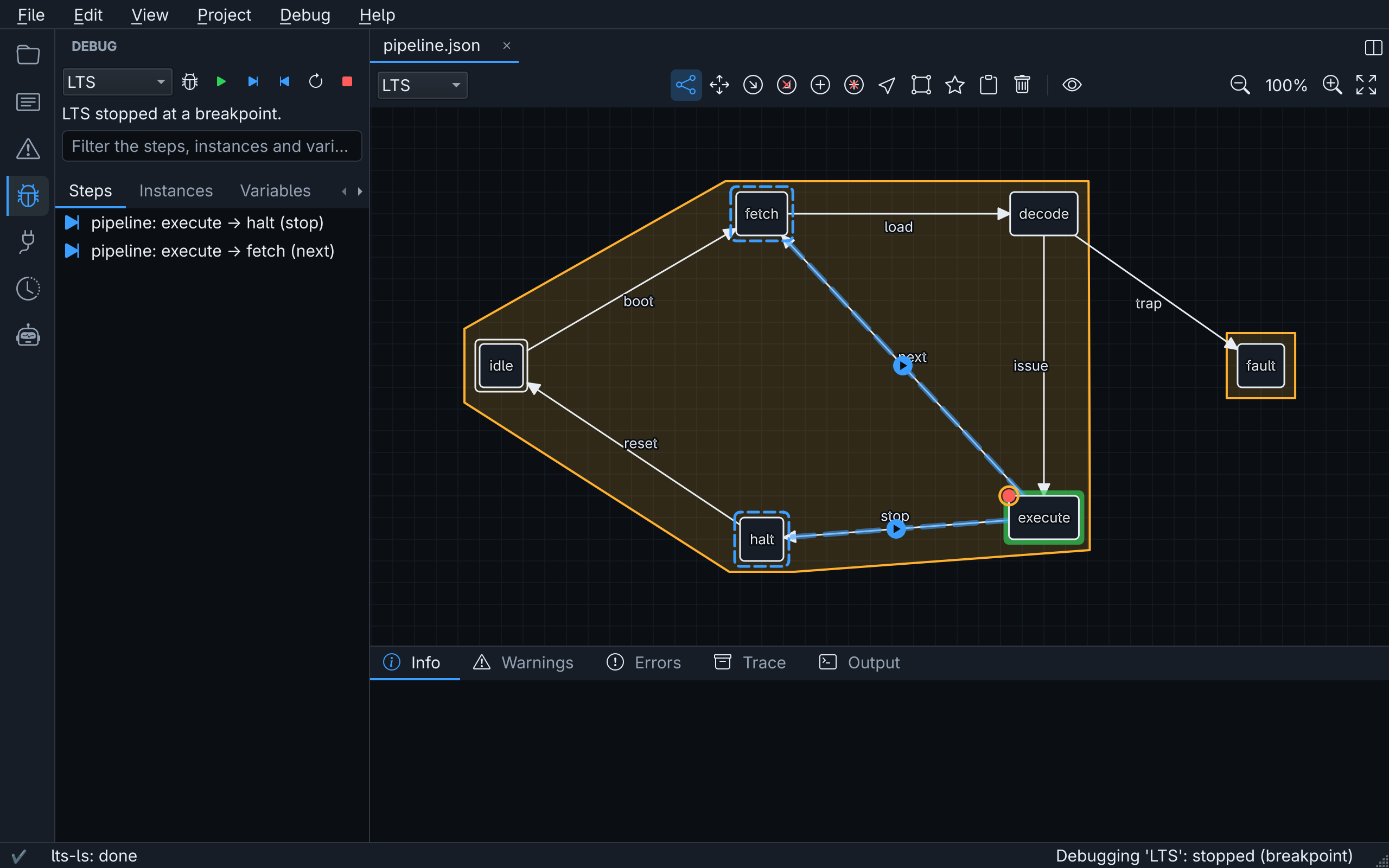
Step through models on the canvas, stop at breakpoints and rewind. The runtime comes from the language server, so one debugger works for every language, through a protocol modelled after DAP.
AI agents
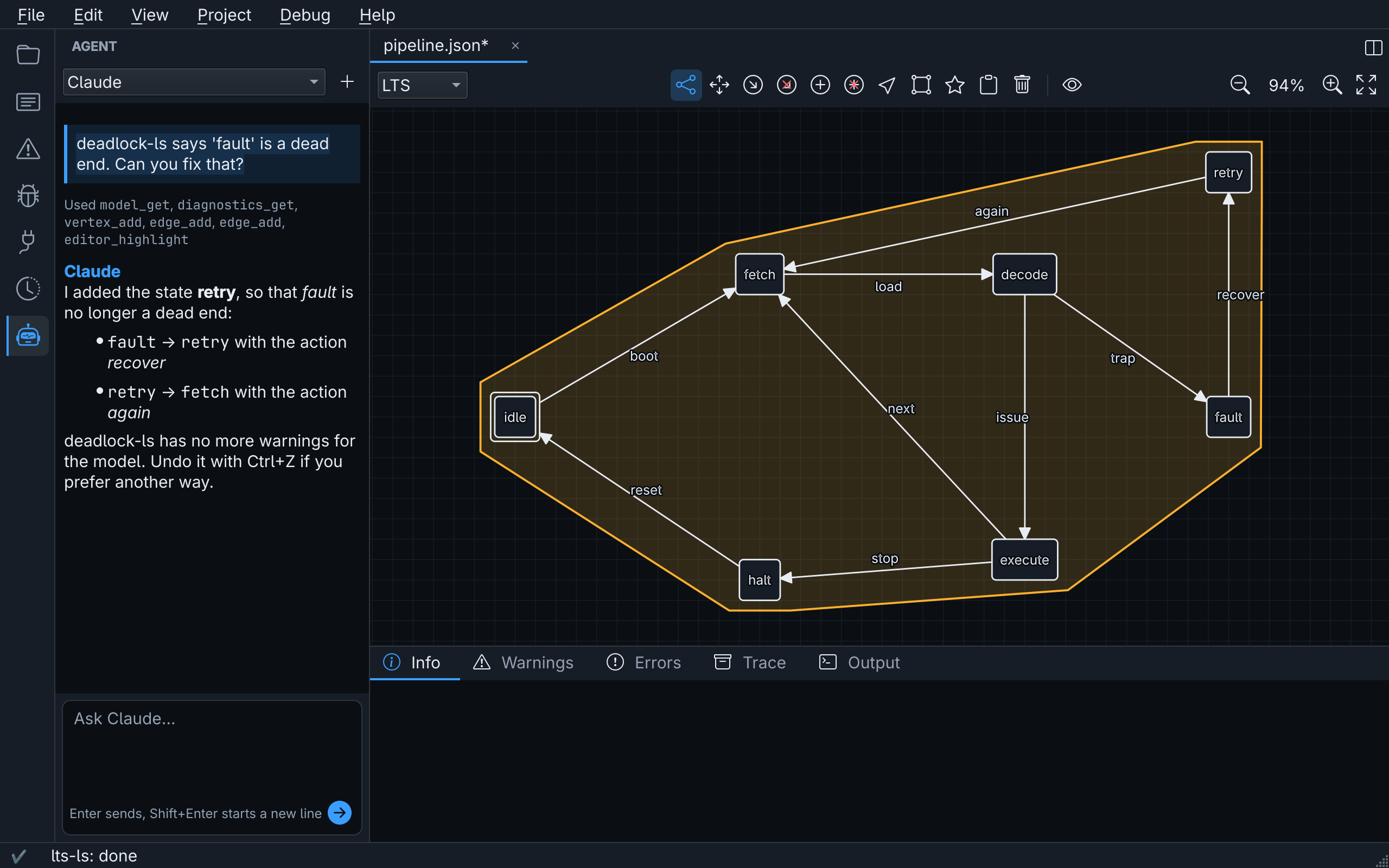
The agent api offers everything the editor can do as JSON-RPC methods, for AI agents and your own scripts.
The agent panel talks to Claude Code or GitHub Copilot CLI about the open project, and you watch every change land.
Every call is checked against the syntax and recorded as one undoable change, just like your own edits.
Agents read the diagnostics, point you to elements on the canvas and take screenshots of the editor.
graphedit-cli calls the same methods from scripts and CI, serves them over JSON-RPC, or as a Model Context Protocol server. When the project is open in the editor, calls go there, so you see them.
The agent api# give Claude Code the tools of grapheditclaude mcp add graphedit -- graphedit-cli --project . mcp# or call them yourselfgraphedit-cli call vertex.add model=pipeline.json 'properties:={"name": "retry"}'{"id": "7f3c9e1a-…", "vertex": {"type": "state", "properties": {"name": "retry"}}}graphedit-cli validatepipeline.json: warning: There is no way out of this state [DL-001]1 model(s) checked: 0 error(s), 1 warning(s)Version 2.4.0
Free and open source. Pick your system, or build it yourself.
x86_64, needs Qt 6.11 or later
sh graphedit-2.4.0-Linux-x86_64.sh --prefix="$HOME/.local" --exclude-subdir --skip-licenseUbuntu 24.10, amd64
sudo apt install ./graphedit_2.4.0_amd64.debWindows 10 or later, 64 bit, Qt included
C++20, CMake 3.25+, Ninja and Qt 6.5+. The release workflow builds, tests and packages it.
git clone https://git.gtz.dk/gtz-agent/graphedit-qt.git && cd graphedit-qt && cmake --workflow --preset release